Plan 01
Monthly
Flexible month-to-month access
$3.99 /month
- ✓Up to 5 profiles, 5 devices, 10 playlists
- ✓7-day trial
- ✓Renews monthly
- ✓Cancel online before next charge

TVLok is a media player for the sources you are allowed to use. You get a fast guide you drive with a remote, a week of catch-up when your source keeps an archive, recording, multiview, and a profile for everyone at home. Eligible account metadata such as favorites, profiles, settings, and playback position can sync across your home. Sports, your own media servers and a plan for the whole family are built in.
Player only. TVLok does not provide channels, streams, playlists, or subscriptions.
Public beta
Core playback, profiles, and account features are available now. TVLok remains in active public beta, so beta features may change as reliability improves. TVLok is player software only; users provide their own lawful sources and content.
Sports is its own place in TVLok. Games are listed by league. Where TVLok finds a match, a game shows which of your own channels carries it, so one press can start it.
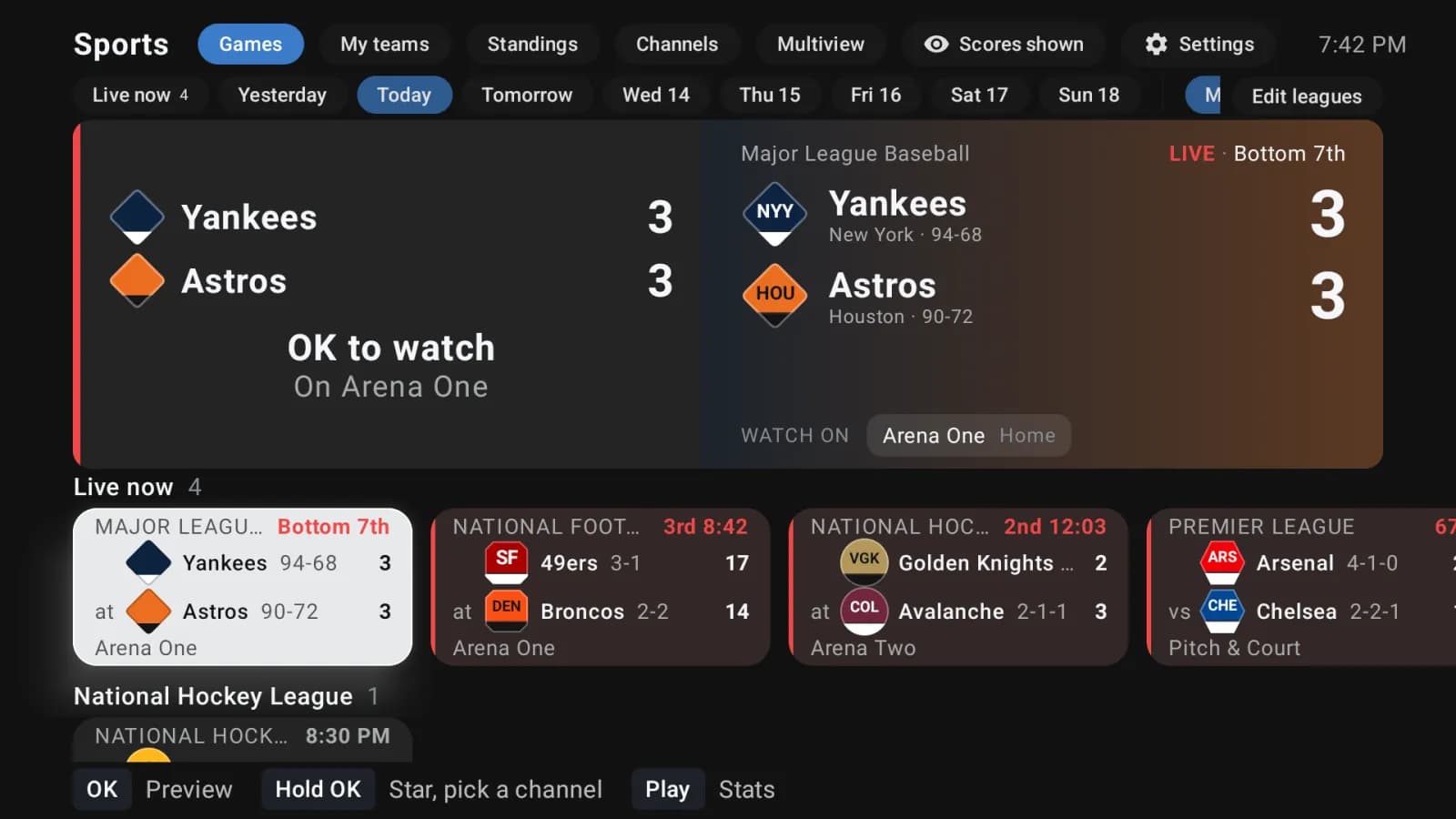
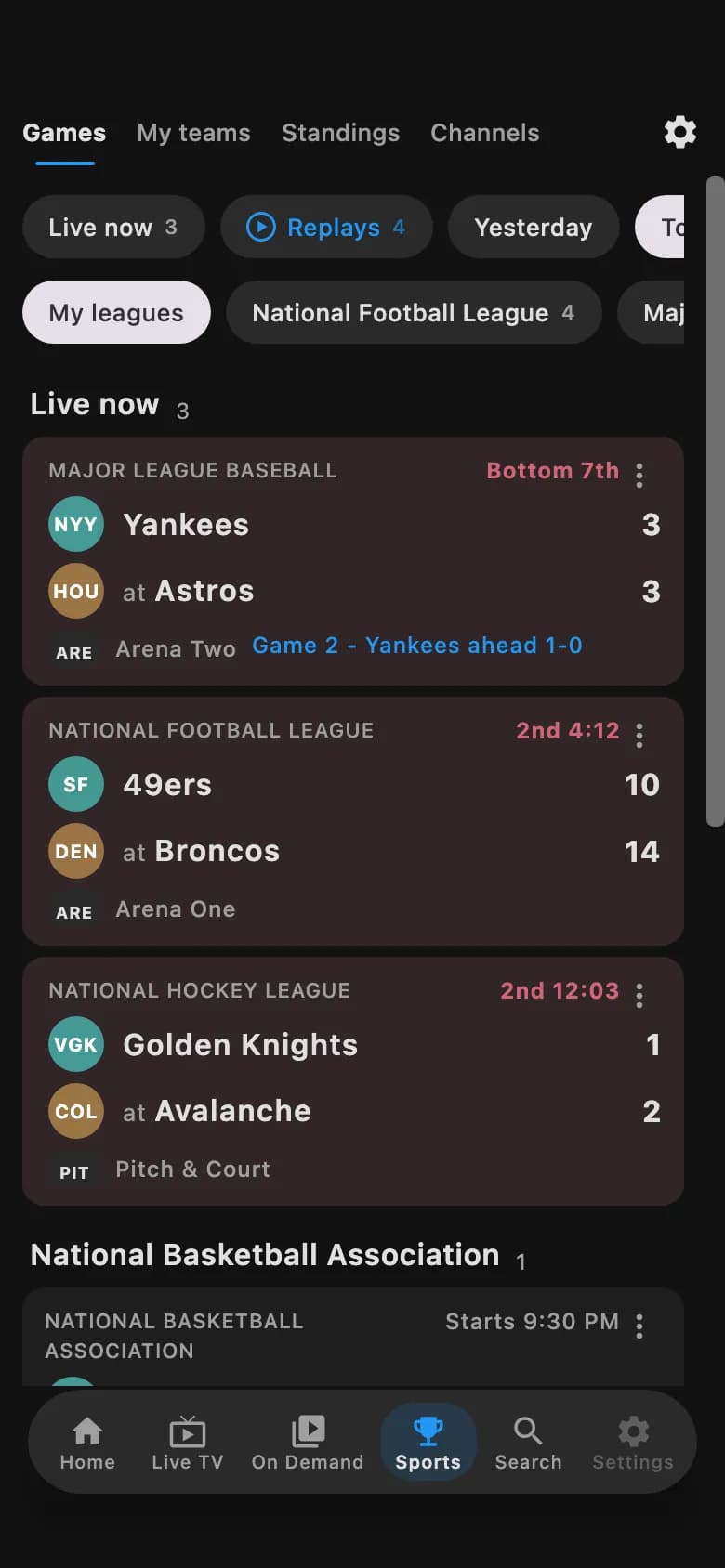
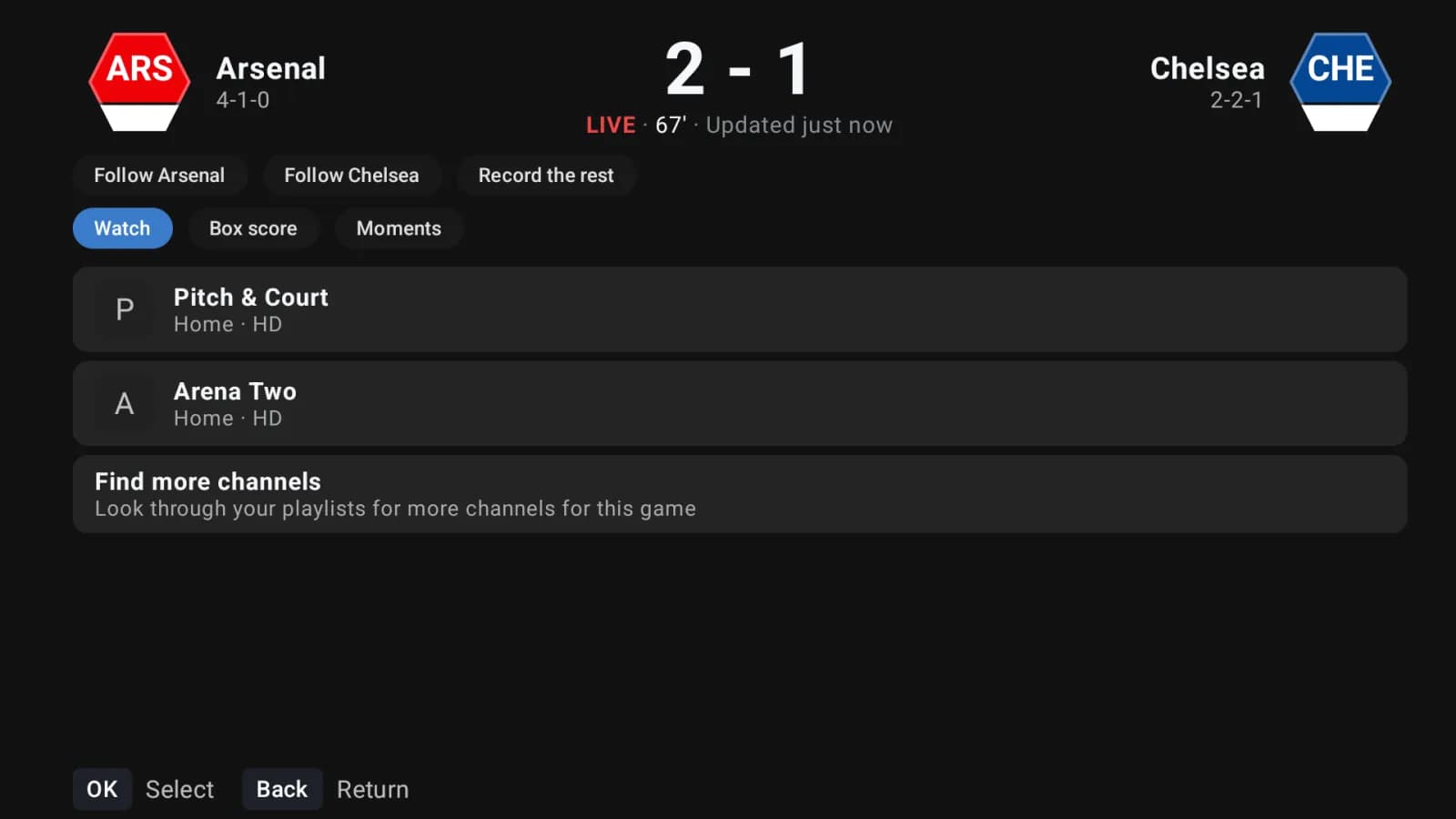
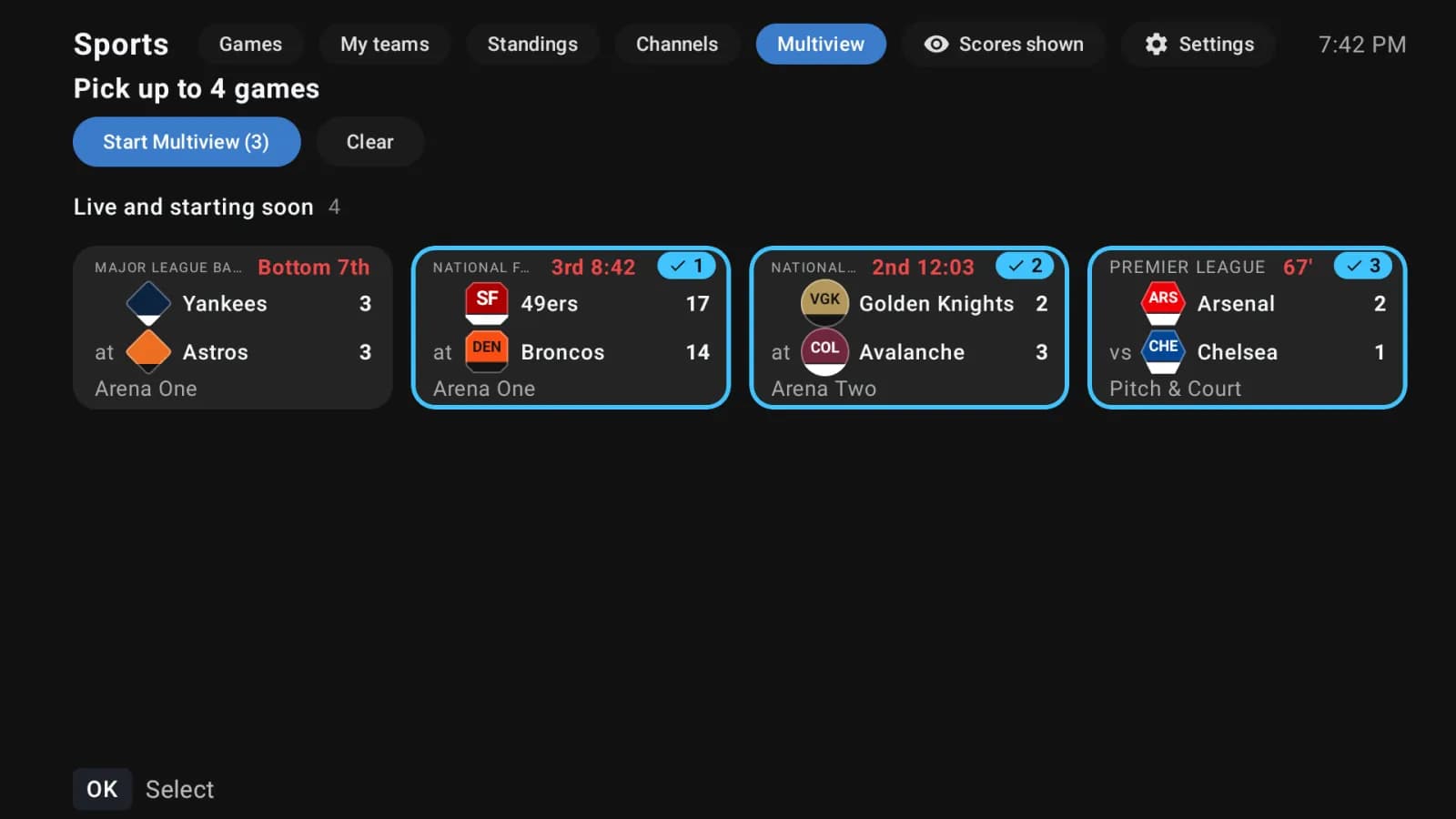
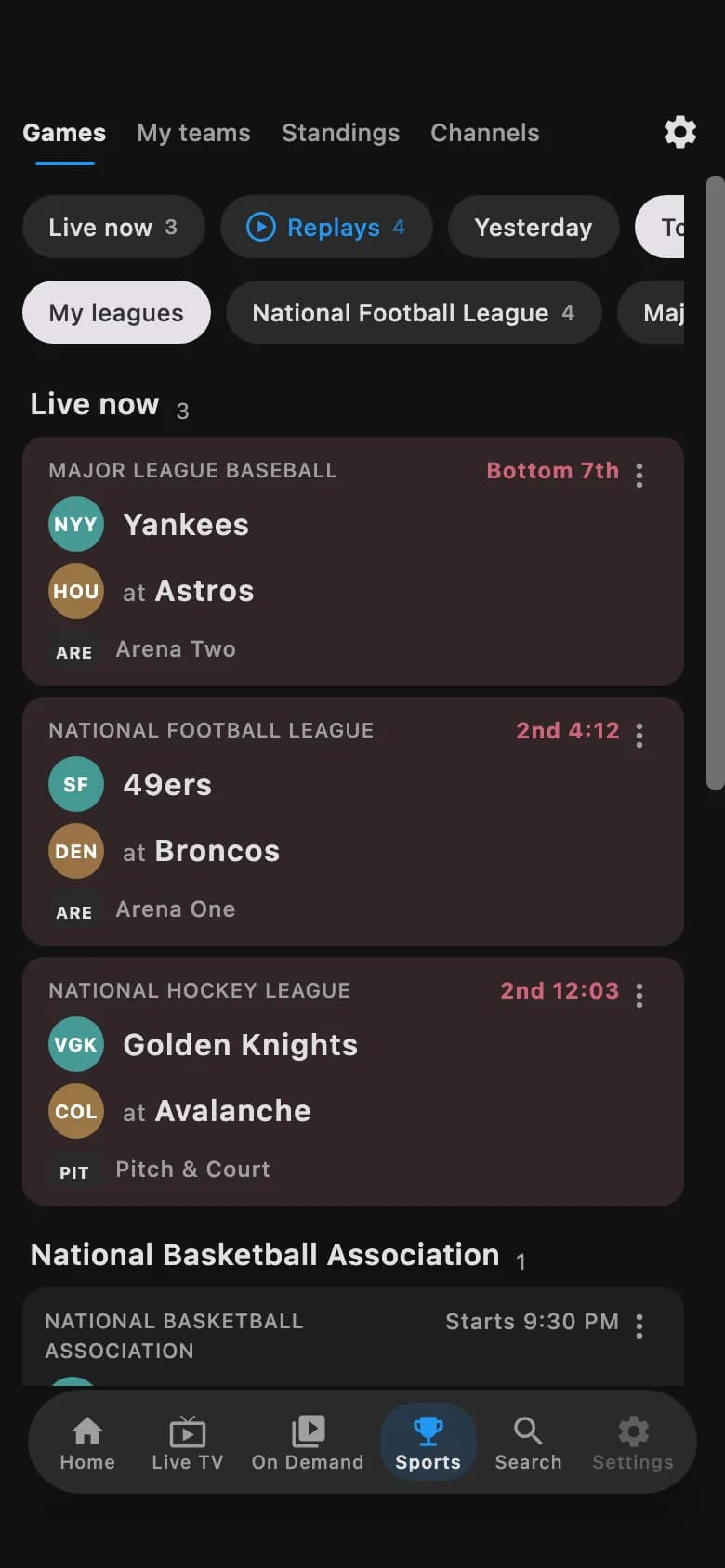
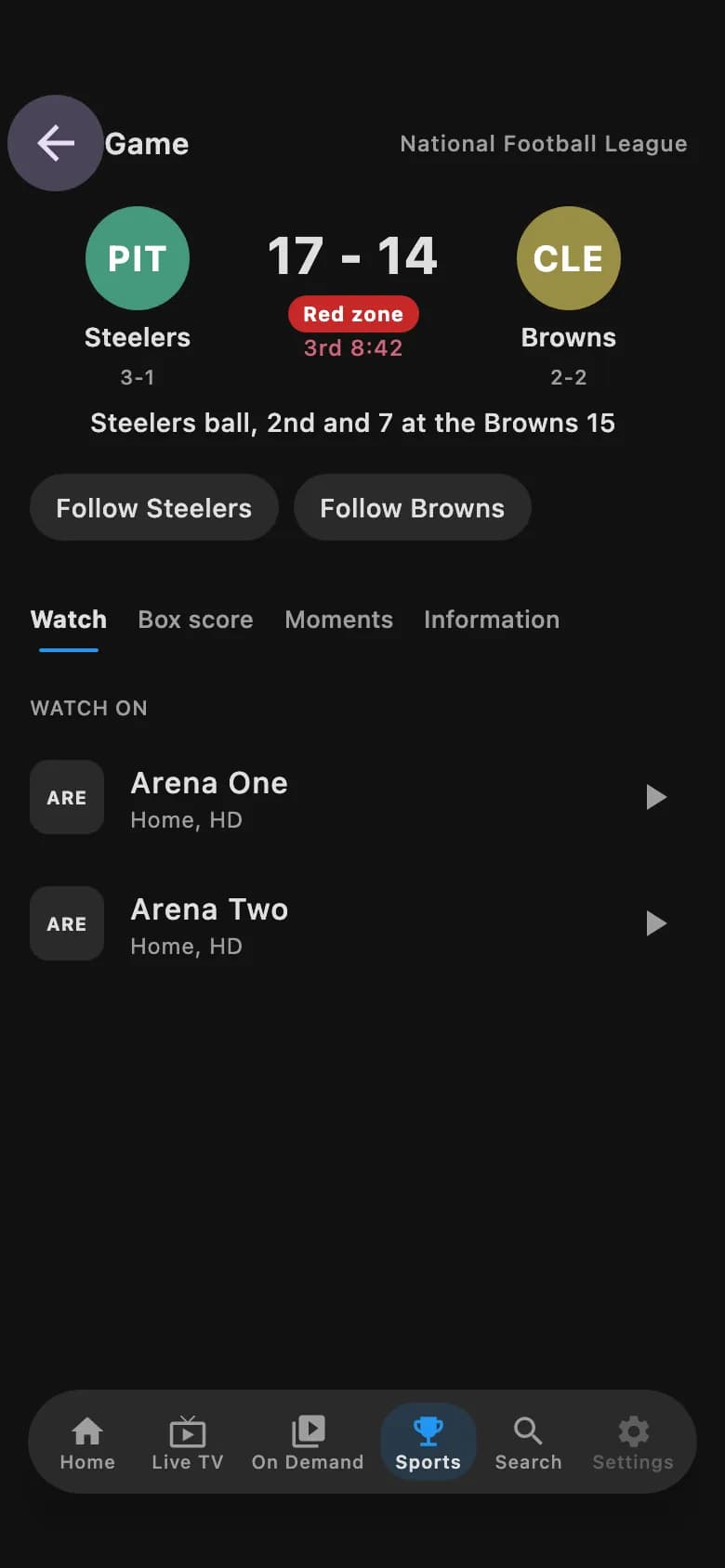
Sample games and scores. Scores and schedules come from public league data. The channels come from your own playlist, and TVLok does not provide them. Sports runs on Android TV, Fire TV, Android phones and tablets, Mac and Windows.
Connect a Plex, Emby or Jellyfin server you already run. TVLok plays from your server. It does not host or provide any media.
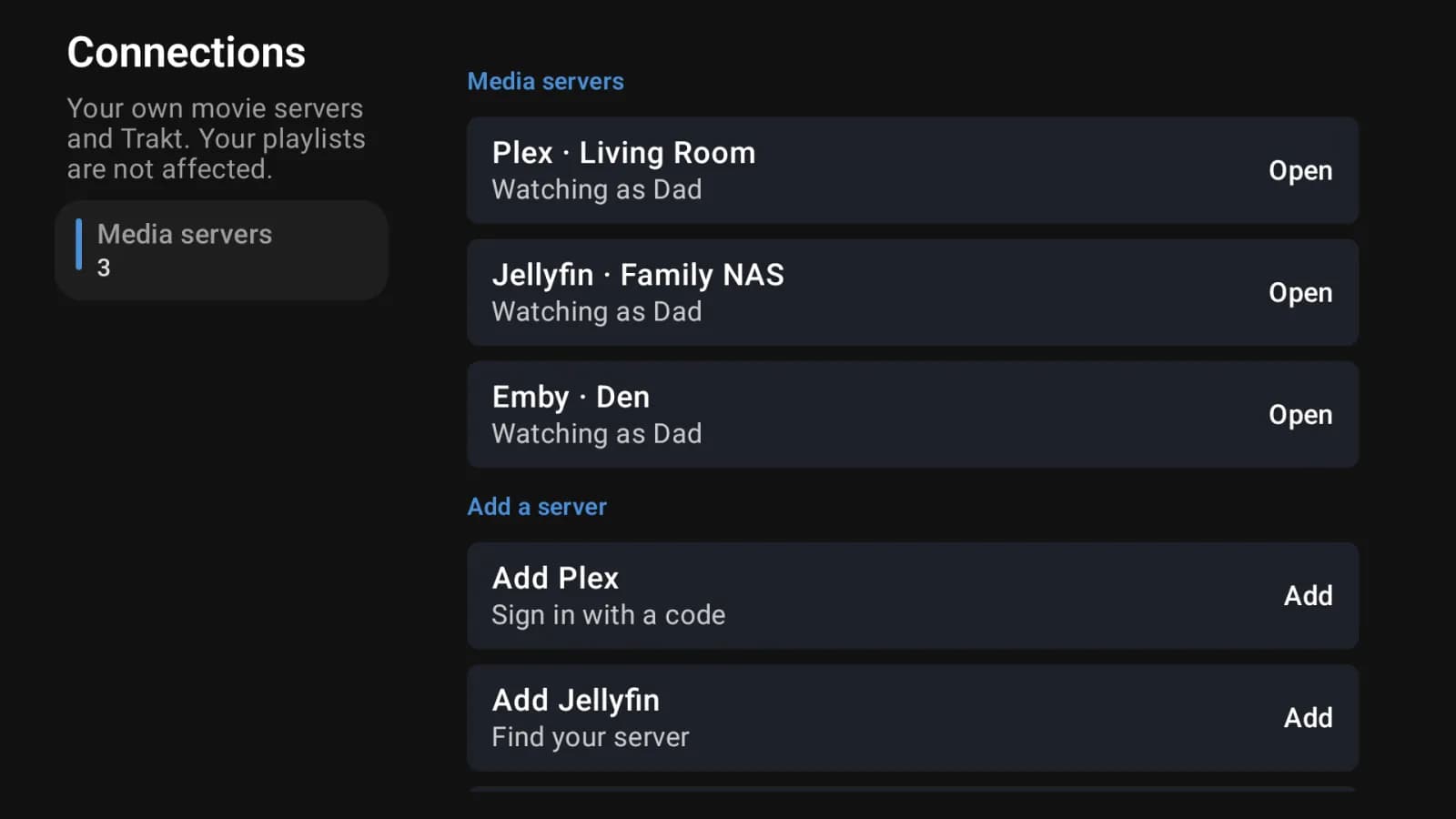
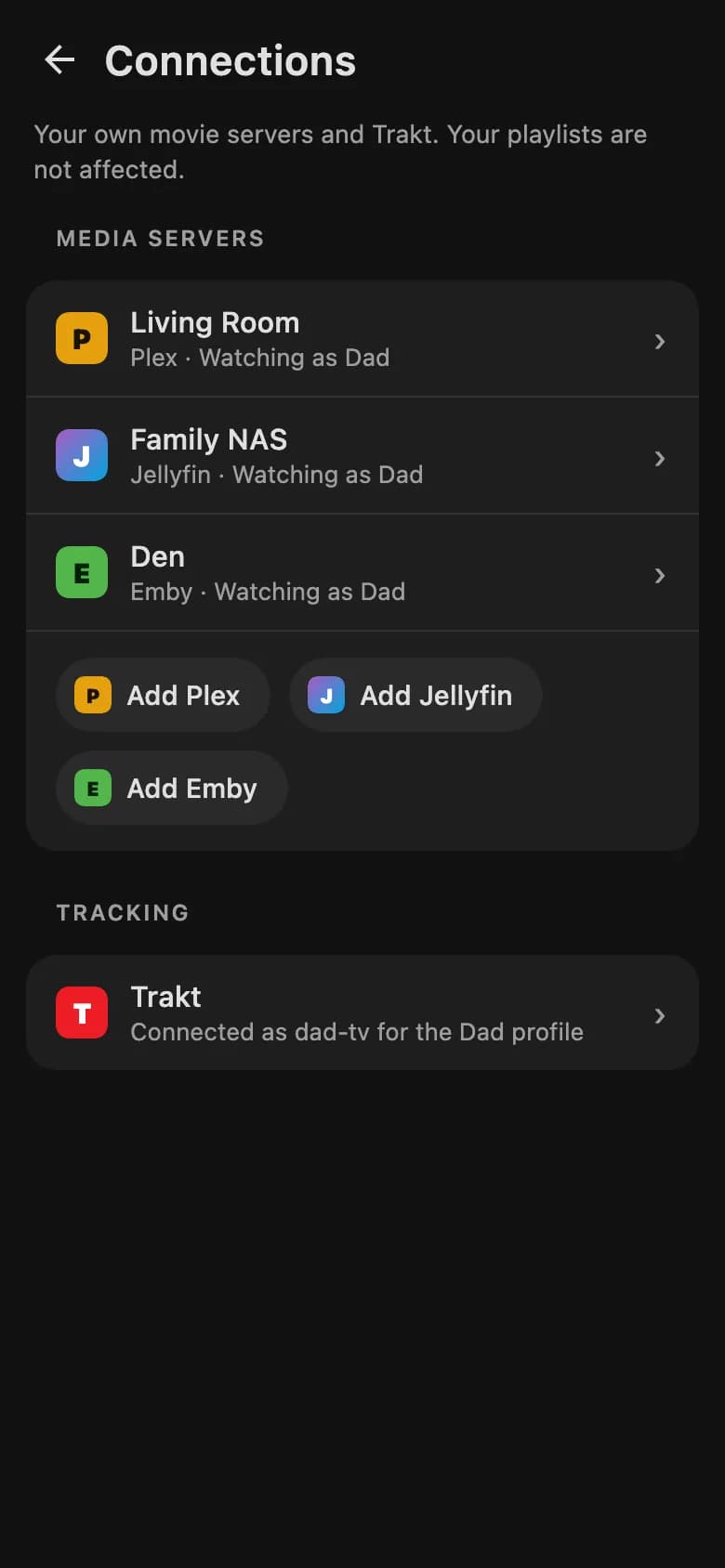
Plex, Emby, Jellyfin and Trakt are trademarks of their owners, and TVLok is not affiliated with them. You need your own server and your own media.
Lifetime Family is $59.99 one time and gives a household room for 10 profiles, 20 devices and 20 playlists. Kids get their own rules, and family members can sign in with their own email.
Choose what a child can watch, set a daily limit and a bedtime, or press Pause now.
When time runs out a child can ask for more. You answer with one tap on tvlok.com.
Invite someone by email. They sign in with their own login and keep their own profile.
See how much each child watched in the last seven days.
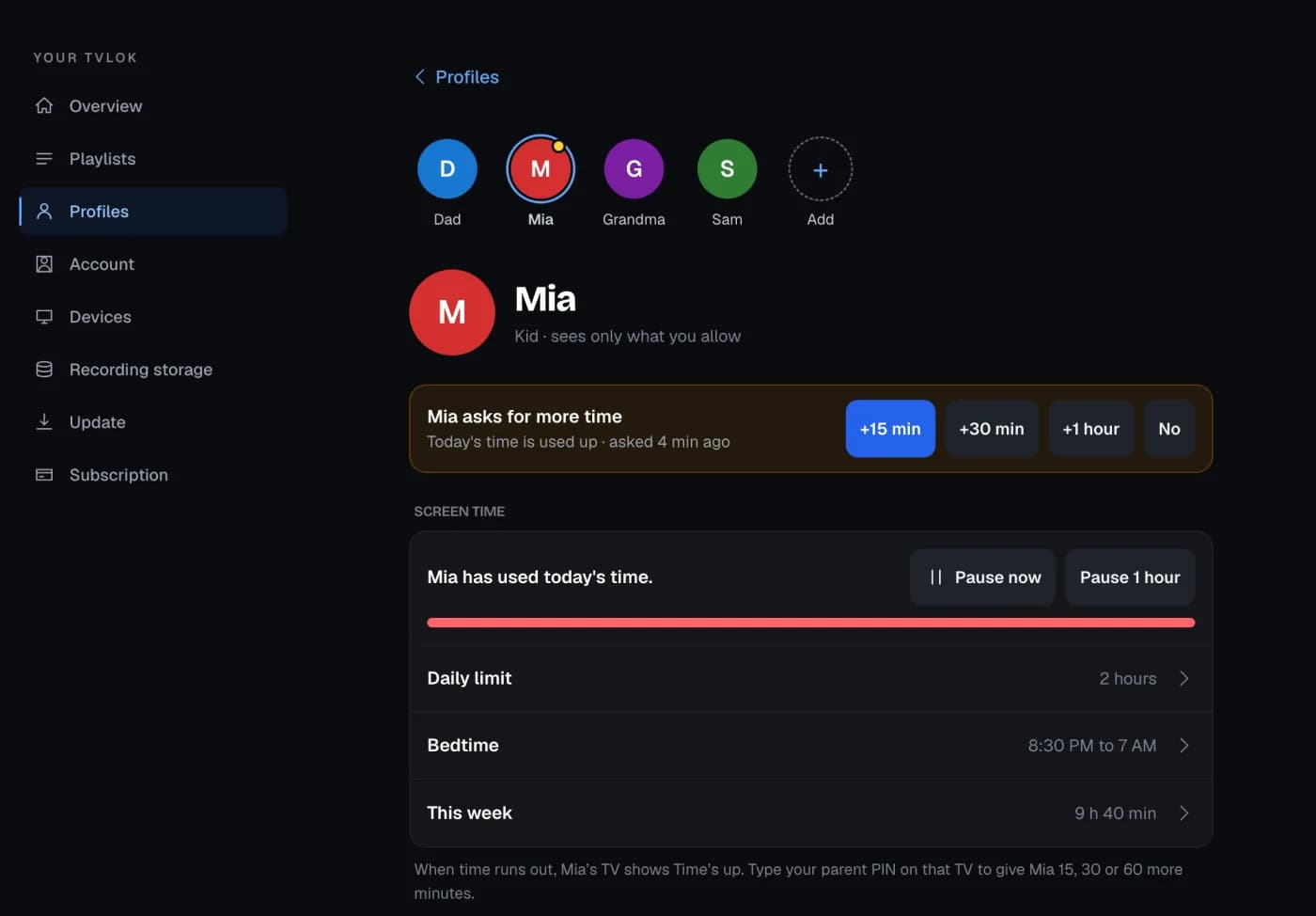
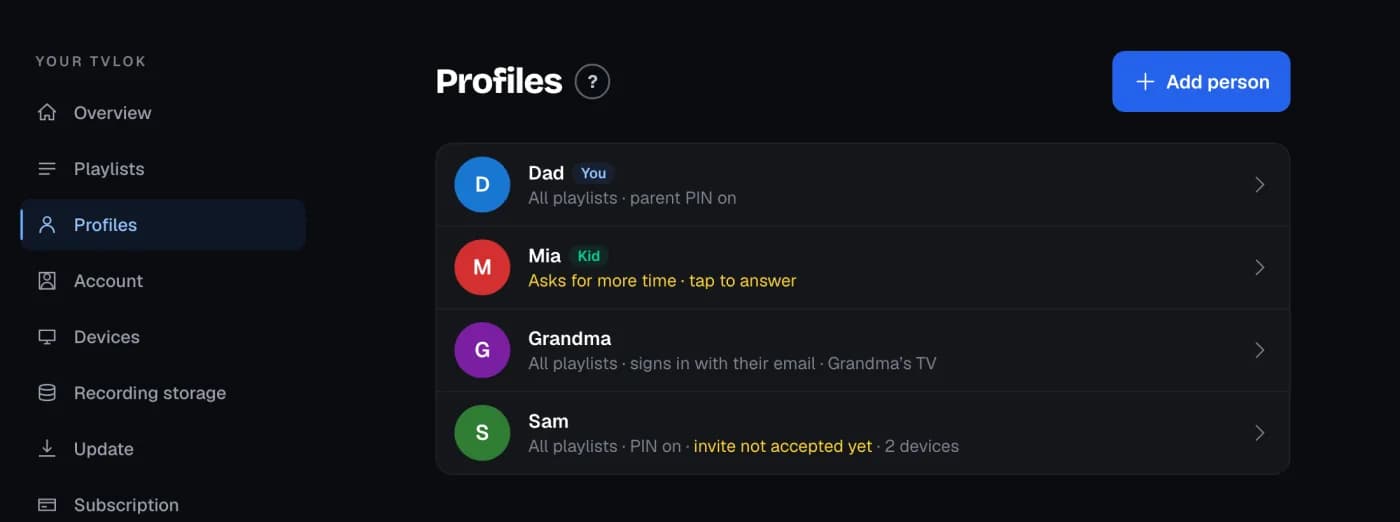
Sample family and sample data. If you already own Lifetime, the upgrade price is shown in your account. Plans unlock software features only, never channels or content.
Add your playlist or provider login one time, on the TVLok website or in the app. It is saved to your account, so every TV, phone, tablet and computer you sign in to already has it. No more typing a password with a remote.
Saving sources and credentials to your account is part of TVLok Pro.
Start your 7-day trial, hand TVLok your TiviMate backup, and your playlists, favorites and watch history are waiting on every TV you sign in to. No retyping logins with a remote, no starring channels all over again.
Review the playlists and guides TVLok can bring over. Keep each name or give it a new one before saving.
Your favorite channels and what you were watching come too, along with the channels and categories you hid and your custom groups. You choose exactly what moves.
Your backup is opened in your browser and the file is never uploaded. Only the items you choose are saved to your TVLok account.
How it works: make a backup in TiviMate, then open Playlists on tvlok.com, choose "Moving from TiviMate?" and pick the backup. Using a different player? Add the login or playlist link your provider gave you once, and it is on every screen.
Channels, times and what is on now sit in one grid you can scan from the couch. Focus is always obvious. Number keys jump straight to a channel, and every programme opens its options with one press of OK.
Go back up to seven days on channels where your source keeps an archive, or start a programme from the beginning.
Pause and rewind live TV. The buffer lives on the device or on your own network share.
Record to the device or a NAS, or set a reminder so you never miss the start.
Move through channels and programmes with the remote. The focused programme shows what is on, how long is left, and whether you can play it from the start or set a reminder. Recorded on a Google TV Streamer with fictional demo channels.
Pick a guide theme, an accent colour and how focus looks. TVLok saves the look for each profile on each TV, so the kids' room can be bright while the living room stays calm. The TV screens you can try on this page follow what you choose here.
Accent colours, background colours, selection colour and transparency are in the TV app today. Guide themes are new and in testing. A theme brings its own picture and colours.
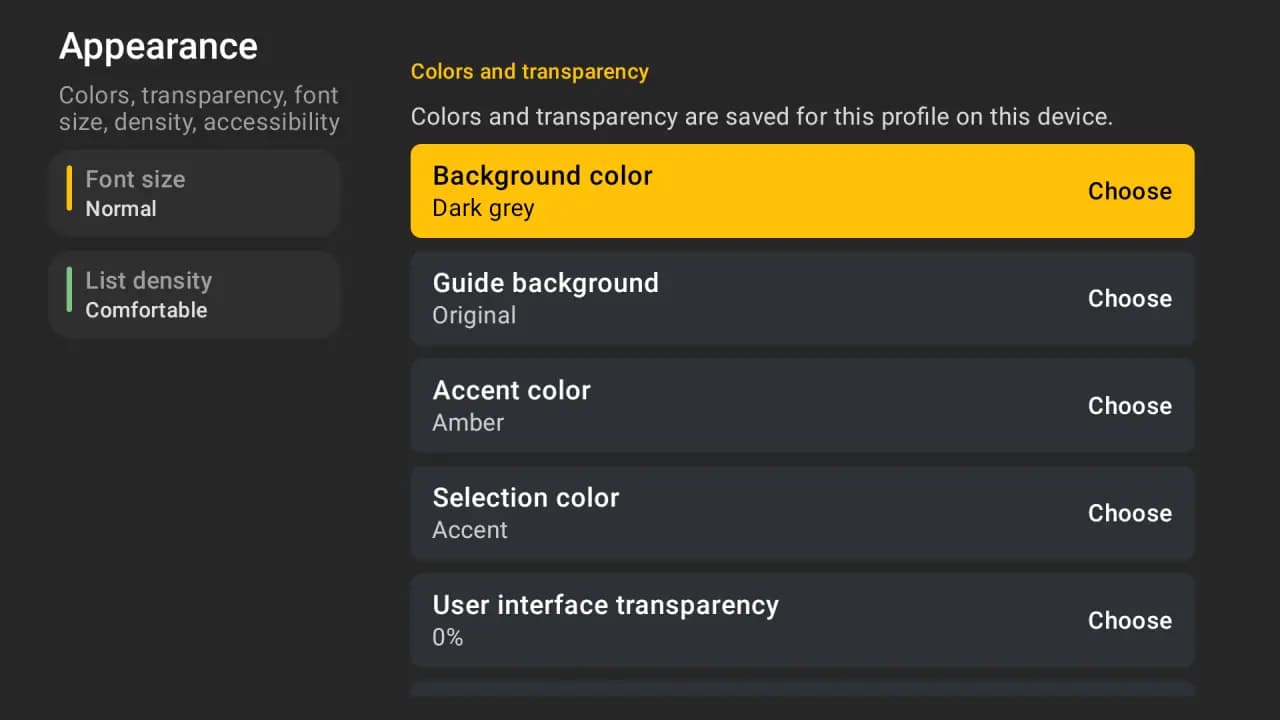
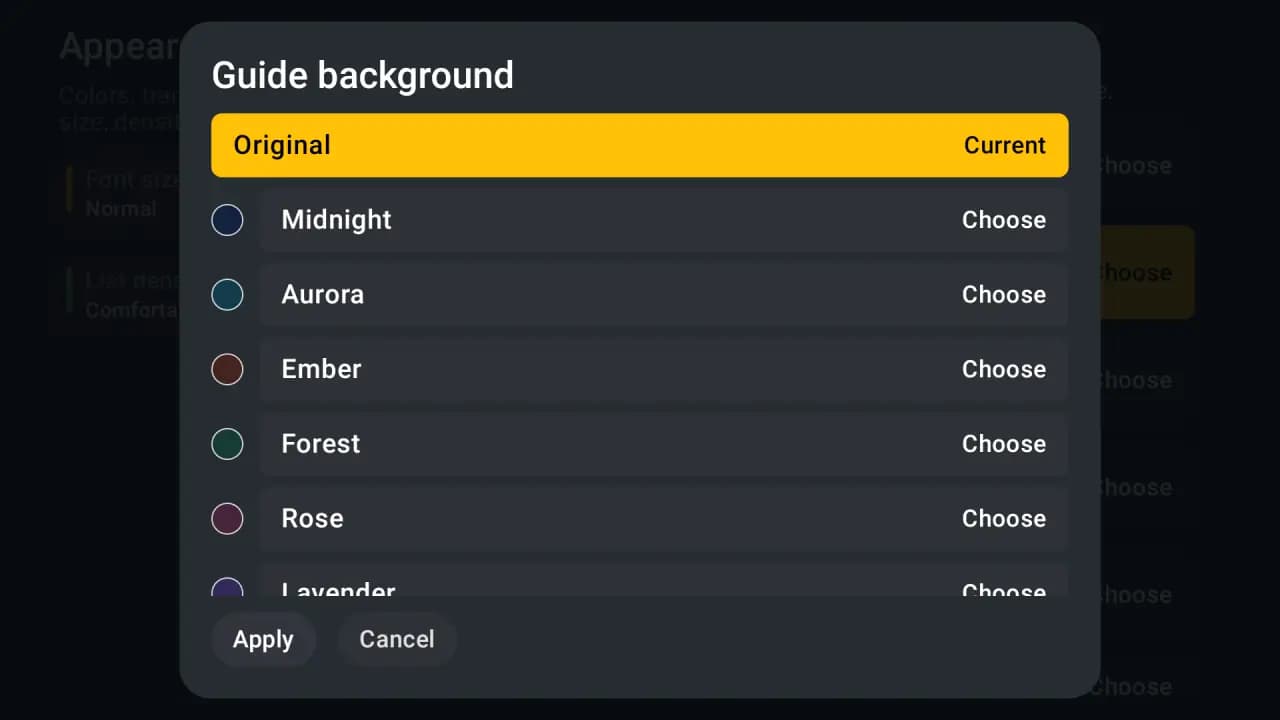
The TV app is built for the remote. The phone and tablet apps are built for your thumbs, and the desktop app is built for a mouse and a big window. One TVLok account ties them together.
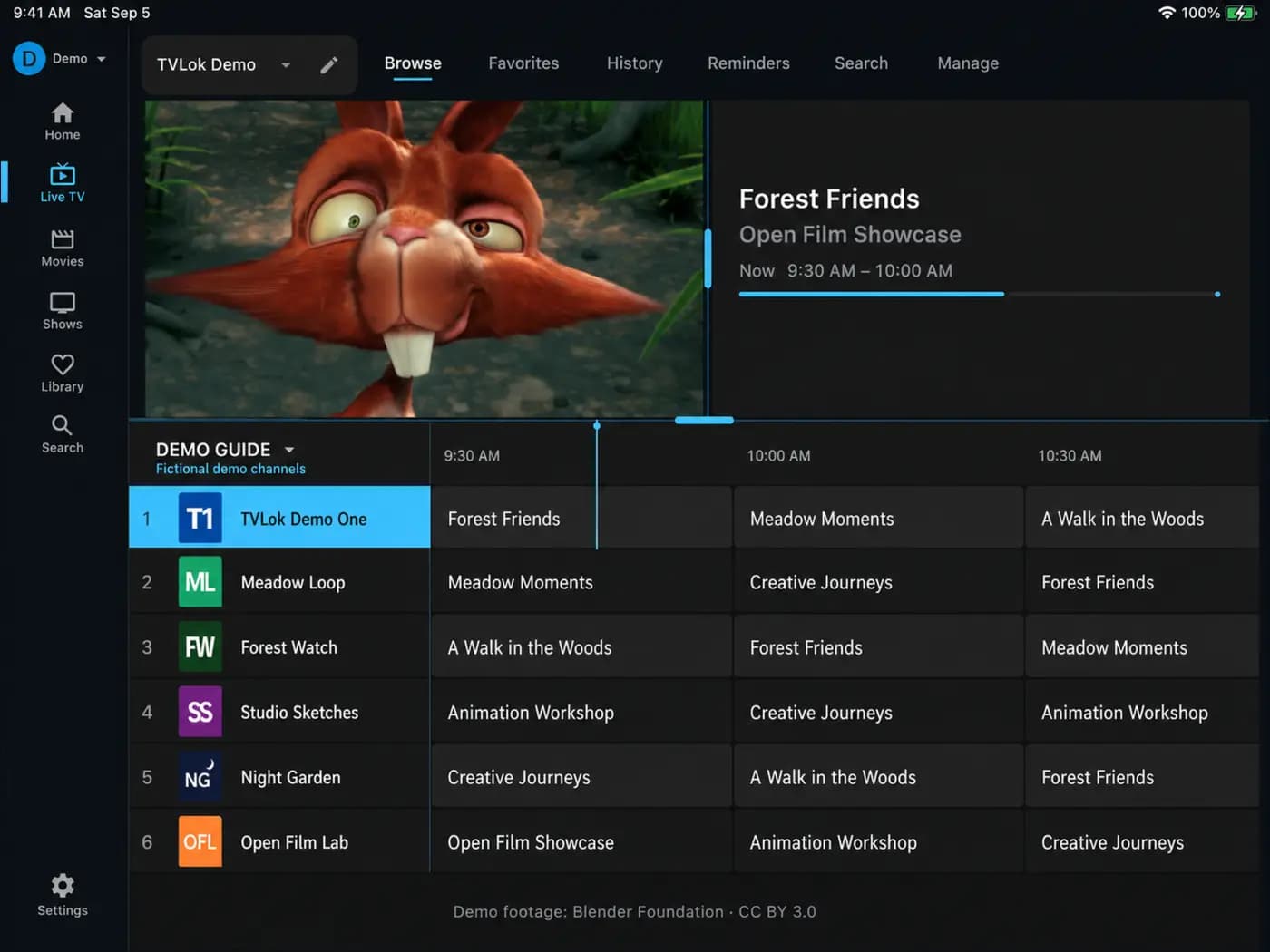
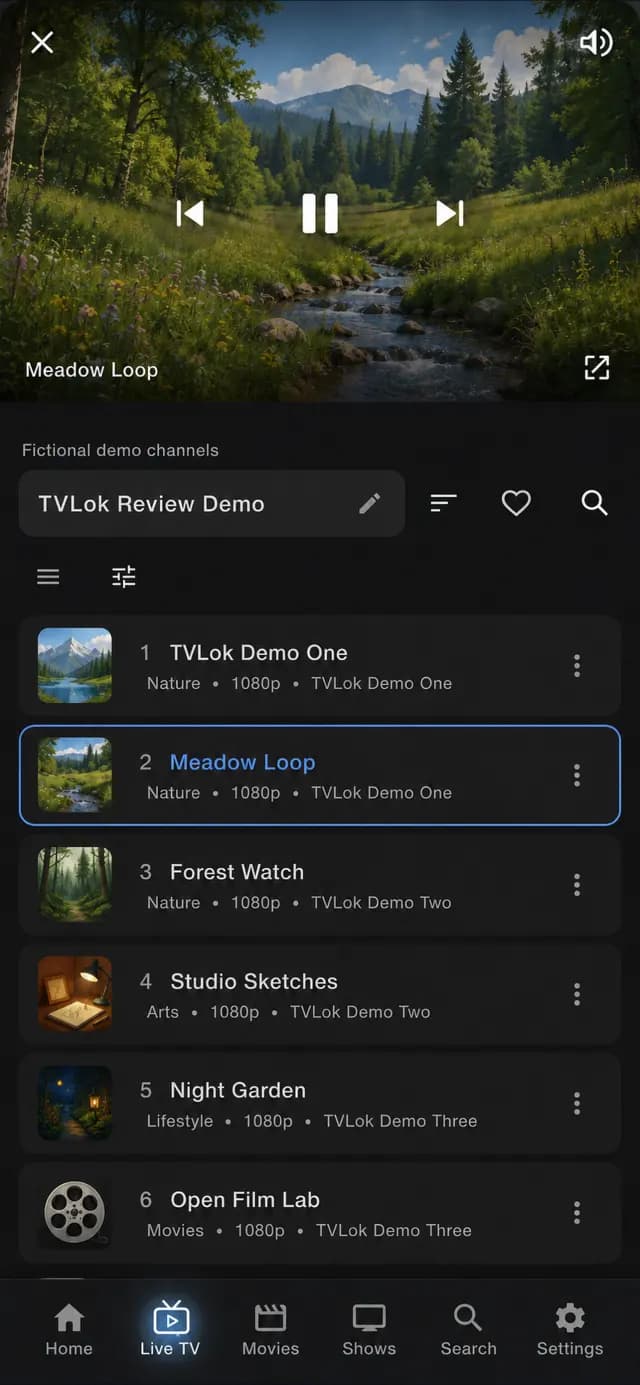
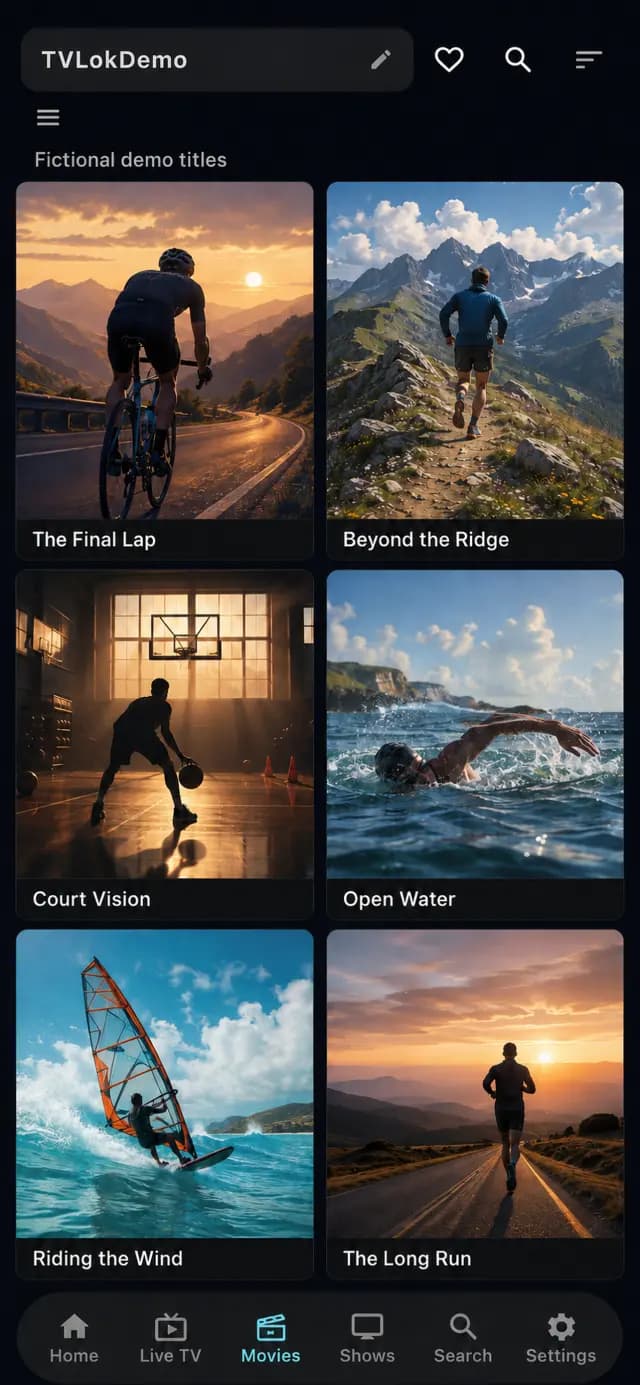
Browse movies in a wide grid, keep the guide open next to the picture, and resize the panes the way you like. Mac is in beta and Windows is in public beta.
Your TVLok account comes with a web dashboard. Fix a source, hide a category or reset a PIN from your laptop instead of the remote. Changes are saved to your account and applied on your signed-in TVLok devices.
Add or manage your own sources from the web. Credentials stay masked, and source metadata syncs to your TVLok devices.
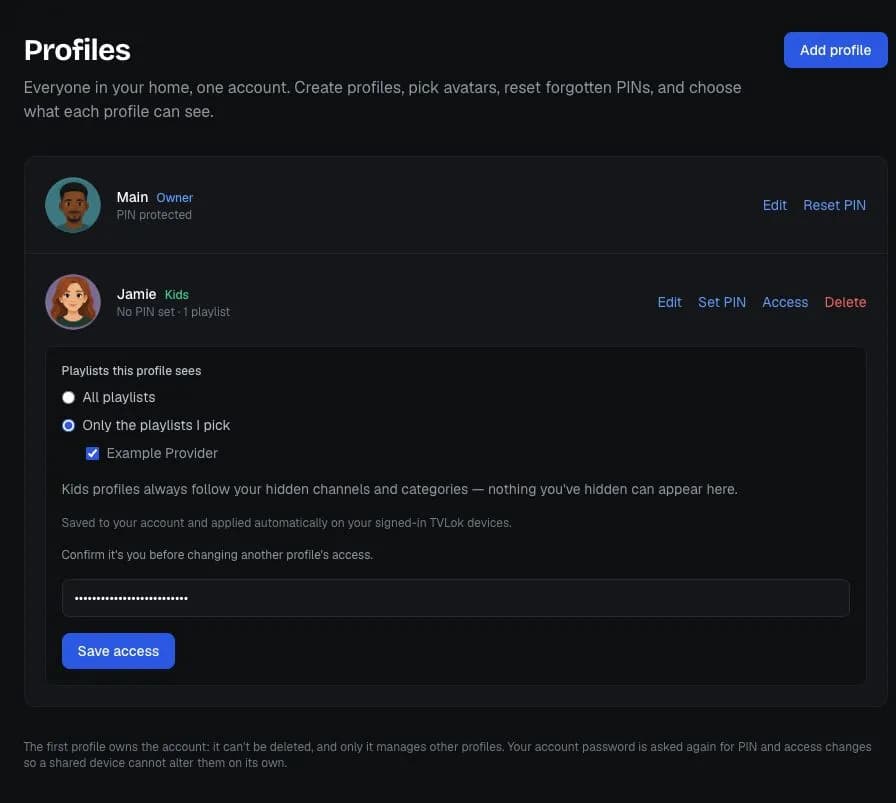
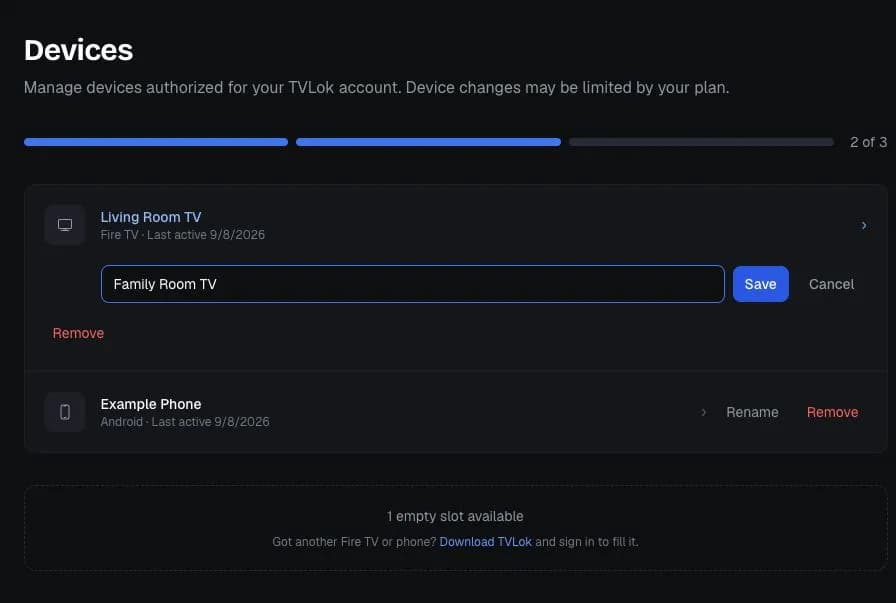
Changes reach devices that are signed in with TVLok Pro sync. Sample data shown.
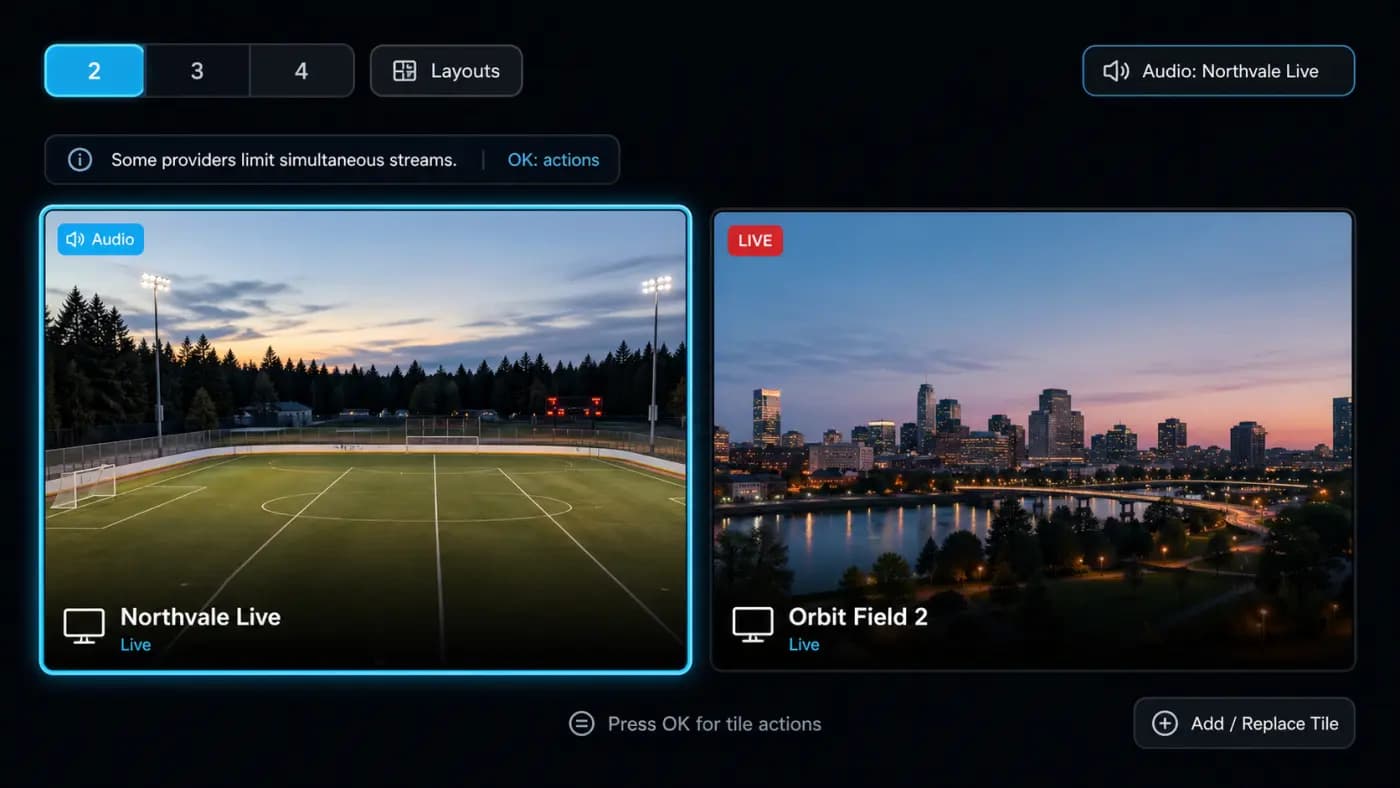
Watch several live channels from your own source at the same time. Choose which tile plays sound, swap a tile without leaving, and save up to eight layouts you come back to. Watching sport? Sports has its own Multiview for games, with the channels already matched.
Requires a source that supports multiple simultaneous connections. The number of tiles depends on your device.
Profiles keep favorites, history and the look of the app separate for each person in the house.
Movies and series from your source land in the categories you already use. Continue watching picks up where you stopped, resume works per episode, and one search covers channels, movies, shows and programmes.
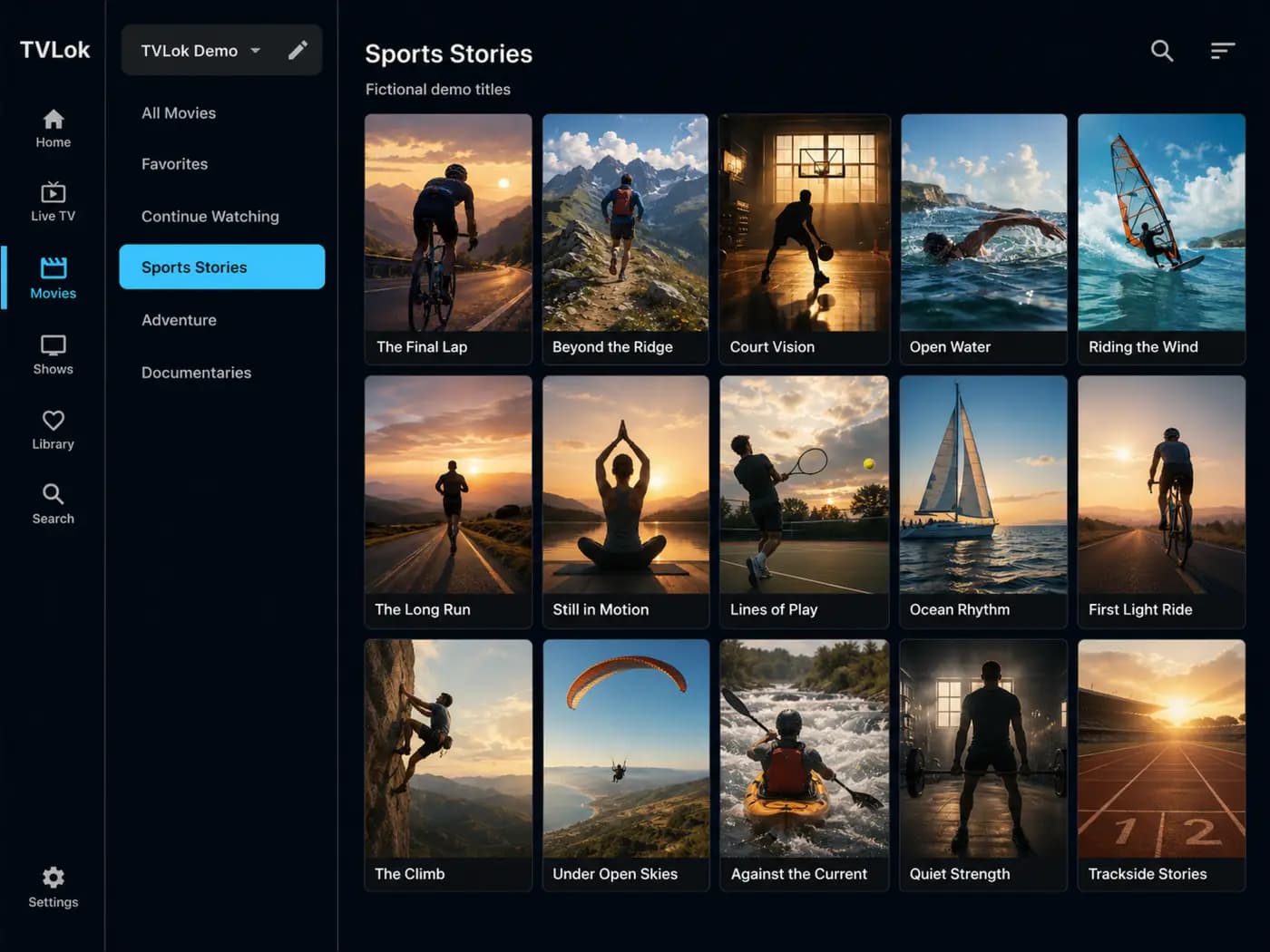
Eligible account metadata such as favorites, watch history, settings, and playback position can follow you from TV to phone and back. Source availability and playback remain dependent on the third-party source you add.
TVLok Pro includes recording, timeshift, multiview, program reminders, sleep timer, and multi-device sync. Plans unlock software features only, never channels or content.
Feature availability can vary by platform, app version, source, device, and plan. Recording and timeshift are on Android TV, Fire TV and Android phones.
TVLok ships updates often, and the app tells you when a new version is ready. Here is what the latest one changed.
Release posts, bug reports and feature requests all live in the TVLok community on Reddit.
Set up your TVLok account and verify your email.
Start a recurring 7-day trial with a payment method, or buy Founding Lifetime.
Enter a playlist URL or source credentials you are legally allowed to use. You only do this once.
Fire TV, Android TV, phone, tablet or desktop. Your setup follows you across screens.
No computer and no cables. On Fire TV and Android TV, one code in the free Downloader app brings you to the right download.
On Android TV you can also type tvlok.com/download in the TV’s browser. Stuck? The Help pages walk through every step with pictures.
Scan to get TVLok on Android, or to join the iPhone and iPad public beta on TestFlight.
The Mac beta and the Windows 10 and 11 public beta download from the same page.
Open tvlok.com/downloadLaunch rate sheet
Recurring plans include a 7-day trial for eligible new accounts. A payment method is required and the selected plan renews automatically unless canceled before the date shown at checkout. Lifetime plans are charged immediately. All charges are final and non-refundable except where applicable law requires otherwise. Current checkout tax is USD 0.00; Stripe shows the exact total before authorization.
Flexible month-to-month access
$3.99 /month
A lower effective monthly price
$12.99 /6 months
$2.17/month equivalent
Our best recurring value
$19.99 /year
$1.67/month equivalent
Limited to the first 1,000 paid accounts
$39.99 one time
882 of 1,000 taken
When they're gone, Lifetime goes to $49.99 (Lifetime Family $69.99).
Buy Founding LifetimeMore room for a household
$59.99 one time
Every plan unlocks TVLok software features only—not channels, playlists, provider access, or media. Lifetime plans are one per account, non-transferable, and provide Pro access for the operating life of TVLok Pro, subject to the device and profile limits shown and accepted at purchase.
TVLok is a media player application for Android TV, Fire TV, and Android phones and tablets, with iPhone, iPad, Mac and Windows apps in beta. It plays supported playlist and account-based sources you add yourself. We do not provide, host, or distribute any content.
No. TVLok is a player only. You bring your own legally authorized sources. We have no affiliation with content providers and take no responsibility for third-party content accessed through the app.
No. You are responsible for using only sources you are authorized to access. TVLok does not endorse piracy, unauthorized streams, or copyright infringement.
Android TV, Amazon Fire TV, Fire TV Stick, and Android phones and tablets. iPhone and iPad are in public beta on TestFlight, Mac is in beta, and Windows 10 and 11 are in public beta. Each plan has an account device limit shown before purchase.
No. Add a source once, on the TVLok website or in the app, and it is saved to your account with the credentials kept encrypted. Every device you sign in to with TVLok Pro sync picks it up.
Yes. The TVLok website lets you add and edit sources and guide sources, hide categories and channels for each profile, manage profiles and PINs, rename or remove devices, and choose where recordings are saved. Changes apply on your signed-in TVLok devices.
Yes, from the first day of your trial. Make a backup in TiviMate, open Playlists on tvlok.com, choose "Moving from TiviMate?" and pick the backup. You review the playlists and guides TVLok can bring over, along with your favorites, watch history, hidden channels and categories, and custom groups, and choose what moves. The backup is opened in your browser and never uploaded.
Eligible new accounts receive a 7-day trial on Monthly, 6-Month, and Annual plans. A payment method is required. Cancel before the trial end date shown at checkout to avoid a charge. Lifetime plans are charged immediately and do not include a trial.
Yes. You can cancel a recurring plan to stop future renewals and keep Pro access through the current paid period. Charges already made, including renewal and Lifetime charges, are final and non-refundable except where applicable law requires otherwise.
It is a $39.99 one-time offer limited to the first 1,000 completed paid accounts. 882 of 1,000 taken. When they're gone, Lifetime goes to $49.99 (Lifetime Family $69.99). It is one per account, non-transferable, subject to device and profile limits, and provides Pro access while TVLok Pro remains available.
TVLok connects to a Plex, Emby or Jellyfin server that you run and own. It does not include a server or any media, and it is not affiliated with those services.
From your own playlist. TVLok shows the schedule and scores and, where it finds a match, tells you which of your channels carries a game. It does not provide channels or streams.
Room for 10 profiles, 20 devices and 20 playlists. If you own Lifetime you can upgrade. Kids profiles can have a daily limit, a bedtime and Pause now, kids can ask a parent for more time, and family members can sign in with their own email.
Your local catalog is stored in an encrypted database. Pro sync may store encrypted source configuration and credentials plus playlist metadata, settings, favorites, history, and guide metadata. TVLok does not host or copy the underlying video or audio from your sources.
TVLok is purpose-built for the big screen, with D-pad optimized navigation, multi-profile support, and eligible account data that syncs when connected across supported devices.
A faster, smarter player for the sources you already use.
TVLok is a software media player application. We do not provide, host, sell, stream, verify, or distribute channels, playlists, subscriptions, or media content. Users are solely responsible for the sources they add and must ensure they have the legal right to access any content played through the app. TVLok has no affiliation with content providers. Unauthorized copyrighted content is not permitted.
Screens on this page show fictional demo channels, titles and artwork, and sample sports data. League and team names are used only to identify games, and we are not affiliated with any league or team. Plex, Emby, Jellyfin and Trakt are trademarks of their owners and are not affiliated with TVLok. TVLok is software only: it does not provide channels, playlists, streams or media. Demo footage: Big Buck Bunny, © Blender Foundation, CC BY 3.0.